Friday, 31 January 2014

Mxit launches instant mobile messenger app

South African messaging app Mxit enters India eyeing the 700 million feature phone market.
Mxit launches instant mobile messenger app in India
Mxit, South Africa's largest mobile social network has launched its instant messenger app in India. The app is available on Java, iOS, Android, Nokia, Window phone and Blackberry operating systems. It allows more than 300 characters as compared to 140 characters in an SMS.
“The South African mobile social network has announced the first phase of its expansion for the emerging market with the launch of Mxit in India and the release of Mxit 7 for Android and BlackBerry users,” said Mxit CEO Francois Swart in a statement.
“Available for download across more than 8000 different mobile devices and tablets, Mxit would provide the growing 550 million feature phone users across India with the ability to affordably use their basic data-enabled feature phone like a smartphone, with advanced functionality for chat and accessing apps and games.”
Sam Rufus Nallaraj, CEO of Mxit India Pvt Ltd, said that out of 900 million mobile users, 700 million in India have normal phones. Mxit's innovative app will enable users to avail features even on feature phones that are normally available for smartphone users only. The service is currently available in English and Hindi but will be adding support in 10 different Indian languages in next six months.
Mxit India CEO Sam Rufus said that India is the world’s largest feature-phone market and continues to grow. “We are excited at the prospect of enhancing the lives of Indians by providing functionality otherwise not available to low-end handset users as well as replacing the reliance on SMS on feature phones with a cheaper, more engaging chat alternative.”
Mxit, which has 7.4 million users globally, competes with popular messaging apps like Whatsapp and Line.Whatsapp which has 430 million users globally, has more than 30 million users in India alone while messaging app Line has nearly 10 million users in India.

Wednesday, 29 January 2014

Apple iPhone 6 may come without a physical home button: Rumours

In order to keep the phone size compact and increase the display size at the same time, Apple might come out with a home button-less iPhone 6.

Apple iPhone 6 may come without a physical home button: Rumours
We are familiar with rumors of Apple releasing two iPhones this year with larger displays. Other rumors have included a Sapphire display and solar charging. While most of us wait for the phones to arrive, a new pre-release rumor is already around the corner. Apple might come out with a phone which might be without the trademark home button.
Similar rumors also made rounds just before the release of iPhone 5S. Extra-hard Sapphire Crystal glass could help iPhone keep the Touch-ID capabilities and also get rid of the physical home button.
It is being said that Apple, which is looking to produce larger screen phones, is trying to keep the size of the phone compact by getting rid of the home button. By getting rid of the physical user space, the phone will have more room to fill the display.
Some hackers have already made it possible by changing their home button to only require a touch rather than a button press.

FakeOff: An app that detects bogus Facebook accounts

Israeli start-up develops Fake-off app to identify fake Facebook accounts.
FakeOff: An app that detects bogus Facebook accounts
Israel-based start-up has developed an application, FakeOff, that helps in identifying fake accounts on Facebook. The app aims protect users from scams on the social networking site.
Fake-off creator Eliran Shachar stated that the app checks timeline activity of the suspected criminals and tries to locate abnormal activity in a users profile. It allows the user to scan the photos of the suspect to find out if it was stolen from someplace online.
He added, FakeOff crosses information from all investigations and calculates results of a user based on other investigations on the same suspect. The app which was made live two months back and has over 15,000 users so far.
"Recent statistics show that at least 10 per cent of about 1.35 billion Facebook users are not authentic. Besides, there are millions of users who create fake identities and appear as regular users," FakeOff creator Eliran Shachar told PTI.
"FakeOff app uses sophisticated algorithm to investigate the behavior of suspect 'friends' and rank them according to a 1-10 credibility score. It scans up to 365 days of timeline activity for every suspect Facebook friend and checks for abnormal activity," Shachar said.
"Twenty-four per cent of investigations conducted in the app return as fake. A fake profile can be very complex and some of the fakes that we help the users find is only for their eyes so we can't know the final result from the photo scan results, but the user easily can," he said.
Cyber impersonation on social networking sites is on the rise, recently Facebook users were asked toignore malicious link of a girl in a pink bikini. The purpose of such links to direct users to dubious websites riddled with malware. Some times the spam link ask users to fill an online questionnaire before viewing a particular video. According to AOL, the scammers get paid for every questionnaire filled out

Monday, 27 January 2014

Top 3 Android performance apps and tips that will speed up your device

Top 10 Android performance apps and tips that will speed up your device

1. Android Assistant

With downloads in the 10 to 50 million ballpark, Android Assistant (AA) has managed to score an impressive 4.6 stars! If anything, the non-flashy, conservative interface should be nothing less than an indication that this is a timeless collection of tools that just works. Keeping track of what's important, the first tab features the coveted Quick Boost button. Alike many other similar applications, AA will flush all the unneeded processes and services down the drain, leaving more juice for you to play with. Under the Process tab, you'll get more of an in-depth view of what's running on your system -- killing those is within the tools AA offers, but this is only a temporary solution (more on this later). The other, more important tool, is the System Cleaner, which allows you to free up space by wiping the cache of apps, the web and other. Keep in mind that you're better off keeping the cache of apps that you use daily -- wiping it will actually slow down their launch time in consequence.

Download

2. Greenify

Remember how we said that killing processes and services is just a temporary solution? It's true, and no amount of aggressive Task Killers will change that. Task Killers (TKs) are a flashy, short term solution that may actually cause more harm than good. Users of such apps sometimes get so vindictive that sooner or later they break the functionality of apps they didn't intend to. There's a much better solution. Enter Greenify, an app that will actually allow you to keep your 250 apps and ensure that by doing so, you aren't slowing down your droid. How? Well, Greenify allows you to hibernate apps and services running in the background. Hibernated processes will be put to sleep,but will still work once you need them. This is unlike the so called "freezing" apps out there, which break apps' functionality altogether until you unfreeze them. We've experienced Greenify's usefulness first hand and strongly recommend you consider the app. The only downside? The app requires *root* privileges.

Download

3. Fast Reboot

This lightweight miniature app has one simple function that you probably gleaned already -- restart system resources including the UI and also close processes and services, freeing up memory like Android Assistant does. Fast Reboot gets a honorable mention for two reasons. First, a simple click of the app icon is all you need to do to get some free memory -- no heavy widgets required. And second -- Android crashing, especially on older versions, and doubly so with a range of custom ROMs, is a tad more common than we'd like. What's more, some processes simply grow wild every now and then and misbehave for reasons better left for the ages to answer. In all such scenarios, Fast Reboot is the perfect app to have.

Download

Sunday, 26 January 2014

Torrent Hack+Speed increase+Download from universities in which torrent is blocked


Download Anything from torrents at high Speed And even for those universities in which torrent is blocked.
Click on download to get stepwise guidelines


Friday, 24 January 2014

Car Maker Audi shows off their own Android Tablet


Audi-Android-Tablet4-Watermarked

from phandroid
The future of automotive tech is bright and exciting. At CES 2014, Google and it’s partners formed the Open Automotive Alliance, hoping to revolutionize the automotive tech industry just as Android and the OHA revolutionized mobile. One of those partners – Audi – wasted no time, showing off a sleek Audi Android Tablet soon to be found in their cars.
The tablet is pictured with the Audi S8 but isn’t yet offered in any Audi models and likely won’t be for at least another year. They did, however, have a demonstration of the tablet’s unique auto-focused features.
A few feature examples seen in the below video:
  • Passenger uses mapping feature on the tablet to find destinations, points of interest, traffic patterns, etc… and beam the destination to the driver’s console, instantly updating it with turn-by-turn directions.
  • Driver can insert DVD and beam it to the passenger’s console for entertainment purposes
  • Control everything from windows, doors, sunroofs, temperature, etc… all from the tablet
  • Detach tablet from holder and use it as a full Android tablet running Android 4.3 (upgrading to 4.4 soon)


The future of automotive tech is bright and exciting indeed, but don’t forget uncertain and unstable. Shortly after CES, a California court struggled to identify the role technology should play in vehicles, legalizing the wearing of Google Glass when driving (in California) but suggesting thatoperating the device while driving would break the law.
The balance between improving the automotive experience and encouraging illegal driver distractions is a delicate one, and in this case, Audi distinctly avoids the latter. It’s important to reiterate that this Audi Android Tablet is designed for use by passengers, not the driver.
The tablet will have it’s own mounted display in a passenger convenient position, allowing detachment and interaction with the display, settings, and software of the car as a whole. Below you’ll see the main dash and Audi Android Tablet side by side.
Audi-Android-Dash-Display2-Watermarked
That doesn’t mean the company isn’t exploring more immersive driving experiences as well. The financial risks of investing in technology that could potentially be rendered unlawful are huge, a burden likely softened by the Open Automotive Alliance, allowing participating companies to jointly shoulder the burden and collectively reap the benefits.

Beautiful car. Beautiful tablet. Beautiful synergy.
Audi-Android-Tablet3-watermarked
This is just the tip of a beautiful iceberg… hopefully the titanic US Government can get out of their own way and avoid a head on collision.
The founding members of the Open Automotive Alliance consists of Google, Audi, GM, Honda, Hyundai, and NVIDIA. Look for these leaders to make some huge plays in the auto-tech space in the next couple years.

Monday, 20 January 2014

How to make a USB mini fridge

How to make a USB mini fridge
Physics, how we love you. You keep our feet on the ground, ontologically-ambiguous cats locked in boxes and photons in two places at the same time. It also enables the Peltier effect, what's that we hear you breathlessly ask?
If a current is passed between two different materials a heat differential is created; one side hot the other cold. The principle is used in all sorts of situations including cooling processors and mini-fridges, though apparently they're not that efficient, just small and light.
So why do we care? Well you can pick up a Peltier heat pump on eBay for under £5, we're interested in the 30W ones, these run at 5 to 12 volts so can be powered from a USB port.
Also don't worry, the 'hot' side on these won't go over 40°C under these power conditions, so the passive cooling we're going to use is perfectly suitable. Slap this between two old heatsinks and hey presto instant hot and cold fronts!
We also picked up a couple of A3 sheets of 5mm foam board using this we can construct an insulated box, pack polystyrene around the base of the cooling heatsink and we've got an instant mini-fridge!
For better cooling you could connect any suitable (sub 12v, sub 2a) spare DC adaptor to it, but if you do this will increase the hot side to over 60°c. So double-checking the cooling and adding a small fan would be advisable.
A Peltier heat-pump
Old heatsink x2
Polystyrene
A3 foam mounting boards
USB lead
Soldering iron
Stanley knife
Glue
How to make a tiny USB fridge
Step 1

1. Lets turn this pile of junk into a mini-fridge.
Step 2
Step 2b

2. Wire up the Peltier heat pump and test to see if it's the right way around.
Step 3

3. Strip down the heatsinks, we don't need the fans or fixings. We'll use the larger one as the base and for more stability thermal tape is available from most overclockers.
Step 4

4. The plan is to create a box around the cooler; we're going for 120mm square big enough for bottle of beer. Take the A3 foam board and use a sharp Stanley knife to score and cut through.
Step 5
Step 5b
5. For a stronger construction we're going use dovetail joints, use an off-cut piece to practice. Mark a 5mm strip, cut two opposing 45° slits into this, remove the strips either side to leave the joint.
Step 6

6. You'll want three perhaps four joints on each side. Use the off-cut piece as a template to mark and cut three sides. For the front use an off-cut from the door to connect the bottom area.
Step 7a
7. Measure a 120mm square and a 110mm square area of foam board and glue these together, this is going to be the lid. Glue all the sides and the top in place. We used elastic bands and some books to press things together.
Step 8
8. Double check the measurements inside and cut a slab of polystyrene to fit. Cut a hole that fits the upper heat sink.
Step 9
9. Construct a front door, we added a window by cutting a smaller version that can fit inside the front. We kept things easy with card hinges and Velcro.
Step 10
10. The final article in full chilling effect. Well, 10°C or so.
-

Sunday, 19 January 2014

Read your mind Magic

Read your mind Magic - screenshot thumbnailRead your mind Magic - screenshot thumbnail
Download From Play Store
http://goo.gl/EUZGmw

Description
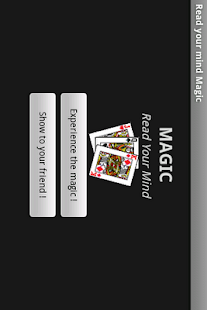
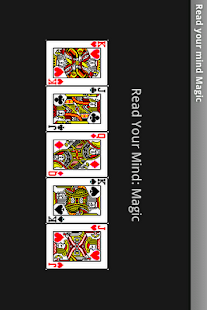
It shows an impressive mind reading magic to you. It will know which card you have chosen in your mind.
This app also serve as magic props. You can use it to show the magic to your friend.
It is a simple bar/pub magic trick.
It is extremely useful to help you to open a dialog with new friend when you want to flirt or date a girl or boy.
You can also play it to your kids, see whether they know the trick.
It is simple that let you be a magician in a moment.
You can also make a joke with your friend.
You can play this magic with your girl friend in valentine's day
Please drop me an email if you think of any improvement, i will try my best to update it and upload a new version.
Please share this app in Facebook if you found it interesting.
===========================================
KW: magic, pub magic, bar magic , simple magic trick , android magic, entertainment, for kids , phone magic, card magic, mind reading, mind reader, read your mind, girl, boy, man, woman , dating, flirt, make new friend, happy , interesting idea, illusion, easy magic, card trick, magic show, make you laugh, how to, deception trick

Solving the impossible problem of Android updates

KitKat statue

Android updates remain a messy, unpredictable business — and although Google and manufacturers have made progress in the past year, there's still much work to be done ...

The speed at which new platform updates arrive remains one of the major pain points of owning an Android device. Whereas Apple rolls out iOS updates instantaneously across much of its product line — the platform absolutely was designed with that in mind — Google’s lack of direct control over the firmware running on most of the world's billion or so Android devices means it’s impossible for it to do the same.
In an article published in late 2012 we discussed exactly why this is the case. The “open” nature of Android, the vast differences in hardware across the entire ecosystem, not to mention the large number of moving parts required to get most updates pushed to users, all contribute to the lengthy delays we’ve come to know and hate. As we said almost 18 months ago, it’s a weakness that’s built into Android’s DNA, and not something that can be easily overcome.
GOOGLE AND THE MANUFACTURERS ARE TACKLING ANDROID UPDATES ON MULTIPLE FRONTS.
Yet over the past year we’ve seen new endeavors by Google and some leading Android manufacturers to tackle this seemingly impossible problem. There have been efforts on multiple fronts: Firstly, the introduction of new features and APIs through Google Play Services, and the spinning of major Google apps out into the Play Store, allowing them to be updated independently from the OS. Google has put future Android code into the hands of OEMs earlier than before, through the “Google Play edition” program. There’s also evidence that manufacturers are seeing the competitive value in being first (or at least quick) with new OS versions. And OEMs, particularly HTC and Motorola, are getting better at communicating details of these updates to end-users.
To be sure, it’s no magic solution to the gargantuan task of moving the entire Android ecosystem forward. And the update situation for non-flagship devices remains something of a crapshoot. But it’s a start, and a big step in the right direction. And as we move from Jelly Bean into the KitKat era, it’s enough to give us some hope for the future of Android updates.

Google Now is (unsurprisingly) coming to your desktop

Google Now on DesktopIn what should be considered an inevitable (and welcomed) move, Google Now notifications are coming to Chrome for Mac and Windows — and you can try them out today.
The latest version of the Chrome Canary app (that's Chrome's dev version, basically) includes a flag for turning on the notifications, as spotted by the Google Operating System blog. To turn on the notifications, you'll need to enable chrome://flags/#enable-google-now, then relaunch. Make sure you're signed in, and you should start seeing Google Now notifications in either the Windows tray or the Mac system bar. 
It's pretty slick, and we're seeing all the same notifications as on our phone. Give it a whirl if you'd like.

Friday, 17 January 2014

Google developing 'smart contact lens' that can measure glucose levels in tears

Google smart contact lens'Chips and sensors so small they look like bits of glitter'

We all know of Google Glass, but the next frontier for Google is apparently smart contact lenses. Google took to its official blog today to announce a new Google[x] project focused (pardon that pun) on using electronics embedded in contact lenses for medical applications. The technology is simply a tiny wireless chip and sensor wedged between two pieces of normal contact lens material.
The example use case given in the post describes how tough it can be for diabetics to check and manage their glucose levels, and how a smart contact lens could measure glucose through tears once every second and relay that information back to the wearer. Going forward, Google foresees even being able to embed LEDs into these lenses to alert the wearer if a measurement, like glucose, hit a critically low or high level.
True smart contact lenses for the general public are surely a long way off, and for that reason are relegated to a Google[x] project, but we still love to see companies trying anything like this. For now we'll continue our coverage of Google Glass, knowing that the next form factor is already under development.

Tuesday, 7 January 2014

Nexus 5 tips and tricks

Nexus 5
The Nexus 5 is one of the best-value phones available. It’s easy to use too. However, there are a lot of features that aren’t apparent right from the start. We’ve spent a good amount with the phone to find out all the ways to make it that bit better. 


Interface and Software

How to change the interfaceAndroid 4.4 has a pretty attractive interface, but you can easily give it a facelift using third-party apps from Google Play. The most invasive of these are called Home or Launcher apps, which plaster a completely new interface onto the phone. 

Top picks to try include Facebook Home, Nova Launcher, Apex Launcher and GO Launcher EX. You’ll find them all in the app store. To choose one of these launchers once downloaded, you merely need to select them from the Home sub-menu of the Settings area. This Home menu won’t be visible until you’ve downloaded one of these apps, though. 

Android Launchers
Left to right: Nova Launcher, Apex Launcher and Facebook Home

How to add widgets on the Nexus 5The Nexus 5 switches up how Android approaches widgets a bit. Rather than having a treasure trove of widgets in the apps menu, you have to press down on an empty area in a home screen for a couple of seconds to bring up the widgets menu. 

The Nexus 5 comes with a bunch pre-installed, including the classic analogue clock, a digital clock and ones for Google apps. 

Downloading more widgets
If that’s not enough for you, there are plenty more widgets available from Google Play. Simply download the app that contains them and they’ll be added to your widgets store. 

Widget apps we recommend checking out include Beautiful Widgets, Eye in Sky (a weather widget), Flipboard and Slider Widget Volumes, which lets you control phone features from the home screen. 

How to take a screenshot
 on the Nexus 5
If you want to show off something on your phone’s screen, you can take an easy screengrab with the Nexus 5. Just press the power and volume down buttons together and the screen will flash after a short delay, and the screengrab will appear your Gallery. If you want to take them off the phone using a computer, you’ll find them in the Pictures > Screenshots folder. 

How to update your software

The Nexus 5 will be among the very first phones to get any new Android updates for a while, because it’s an ‘official’ Google phone. Updates aren’t released terribly regularly, but you can check manually for an update if you aren’t notified automatically (which should usually happen). 

Go to the Settings menu, scroll down right to the bottom and select About Phone. The top entry in this menu is System Updates, which offers a ‘check of updates’ button. If one is available you’ll be prompted as to how to download and install it. 

Get a new keyboard
The standard Android keyboard is pretty decent these days. It lets you type normally or use gesture typing (where you draw a line between letters instead tapping). However, you can also install your own.

New keyboards are delivered as apps within Google Play, and some of the favourites include Swiftkey, TouchPal and Swype. Once downloaded, you select your keyboard of choice in Settings > Language & Input > Default. This picks which keyboard pops-up throughout the system, whether you’re writing an email or a text message. 

Android Keyboards

The quickest way to turn on Silent mode

One of the most annoying things about a smartphone is the noise it makes. The Nexus 5 doesn’t have a quick ‘silent’ toggle in the notifications menu, which is normally the quickest way to turn an Android phone mute. 

With a Nexus 5, the snappiest way to silence the phone is to hold down the power button for two seconds to bring up the power menu. This offers a silent toggle as well as power off and Aeroplane Mode options.

Connectivity

Using Android Beam
Android Beam is a wireless file transfer standard that uses NFC and Wi-Fi Direct to move files between compatible devices. It requires another Android phone that has NFC and Wi-Fi Direct support, and Android Beam. 

To use it, make sure both NFC and Wi-Fi are switched on. Then open a compatible app (the Gallery is a good example), and put the area around the NFC chip next to the other device’s NFC chip area. If you don’t know where it is, a Google search will help. How you actually use Android Beam varies between apps. 

Troubleshooting

How to reset the phoneResetting the Nexus 5 is a sure way to solve many minor software issues in the phone. To do so, just hold down on the power button for around three seconds, to make the power menu pop up. This offers a Power Off option that switches the phone off properly. If this doesn’t fix your issue, you may need to try a factory reset. You’ll find this option in Settings > Backup & Reset > Factory Data Reset. This will solve all sorts of problems, but gets rid of all your apps, data and so on. 

How to close and restart apps

If a specific app is causing problems, it’s generally better to tackle the problem separately. You can effectively reset apps completely, including and cached data. To do this go to Settings > Apps. This will show you a list of all the apps you have downloaded. You can flick left and right to see all the apps on the phone. Tap on the problematic app and select the Clear Data, Clear Cache and Force Stop options to flush out any gremlins. 


Google Now

Accessing Google Now – two main waysThere are two main ways to access the Google Now page, which gives you info based on your locations, the time of day and so on. To get to it you can hold down on the Home soft key until a Google blip appears, than drag your thumb up to it. Alternatively, just flick left to right from your left-most home screen. 

Tell Google Now more about yourself to make it more useful
Google Now is a service that attempts to get to know you by assessing your movements and behaviour, building up a profile in order to give you info you need, when you need it. However, you can give it a head start by telling it more about yourself. Scroll to the bottom of the Google Now cards page and you’ll see a little magic wand icon. Tap on this to enter info about the things you like to help Google Now out. 

Battery Life

How to get a battery saver modeOne thing missing from the Nexus 5 is a decent battery saver mode. It’s not something that’s built into Android 4.4 – we presume because its battery optimisation happens behind-the-scenes, and because it’s quite a new system in parts. You can get a replacement battery enhancer in the shape of third-party apps. 

DU Battery Saver & Widgets is a good example. It lets you keep track of your battery’s health and pinpoint any apps that are using much more battery than they should. 

Use feature toggles for better power efficiencyA top way to boost your battery life when you don’t have any actual problems with your phone’s workings is to turn off battery-sapping features when they’re not needed. The most draining of the lot is mobile internet connectivity. Wi-Fi, Bluetooth and GPS are all worth switching off when not needed too. 

To save some time, we recommend trying out some features switch widgets that sit on your home screen. Unlike some other Android phones, the Nexus 5 doesn’t offer easy feature toggles in its drop-down notifications menu.

Use Battery saving Location mode, or turn Location off completely

One other way to save battery by taking extra control over features is to limit the amount of location data apps have access to. This will stop them from trying to access the Nexus 5 GPS in the background, which can become a significant battery drain. Turning off location data is simple – just go to Settings > Location and flick off the Location mode in the top of this menu.

Monday, 6 January 2014

Google to discontinue sharing apps Bump and Flock

bump-screenshot-635.jpg
Smartphone file-sharing apps Bump and Flock have announced that they will be discontinued at the end of January.
US Internet giant Google bought the Bump Technologies startup behind the apps in September for a deal reportedly worth between $30 million and $60 million.
"We are now deeply focused on our new projects within Google, and we've decided to discontinue Bump and Flock," Bump co-founder and chief executive David Lieb wrote in a blog post late Tuesday.
On January 31, Bump and Flock will be removed from both the App Store and Google Play, after which neither app will work and all user data will be deleted.
Over the coming weeks, users can export their data by opening either app and following instructions. They will then receive an email with a link containing their photos, videos, contacts and other data.
Lieb thanked users for their feedback, enthusiasm and support over the years, saying it "brought much meaning to our work."
"In many ways, Bump was a revolutionary product that inspired many subsequent advances and helped push the world forward," Lieb wrote. "We hope our new creations at Google will do the same."
The Bump application lets smartphone users easily share data by gently knocking knuckles while holding devices.
Flock software taps into smartphone location-sensing technology to note when friends are in proximity of one another and lets them contribute to sets of photos reflecting shared experiences such as a concerts or sporting events.

Skype's blog, social media properties hacked by Syrian Electronic Army

skype-6.0-update.jpg
The Syrian Electronic Army hacker group set its sights on Skype's social media accounts Wednesday to accuse Microsoft of spying on user data.
Microsoft-owned Skype's Twitter account displayed the message: "Don't use Microsoft emails(hotmail,outlook),They are monitoring your accounts and selling the data to the governments.More details soon #SEA."
It was posted around 1030 GMT but was removed less than two hours later.
Microsoft could not immediately be reached for comment.
The SEA account belongs to the Syrian Electronic Army, which backs the Damascus government.
In a posting on its own Twitter account, the SEA said "You can thank Microsoft for monitoring your accounts/emails using this details," and listed Microsoft CEO Steve Ballmer's contact information.
The group has previously hacked accounts of The New York Times, Agence France-Presse and other media organizations.
The SEA's latest attack appears to be linked to documents released by National Security Agency leaker Edward Snowden, which revealed the PRISM surveillance program.
PRISM is said to give the NSA and FBI easy access to the systems of nine of the world's top Internet companies including Google, Facebook, Microsoft, Apple, Yahoo and Skype.
The program apparently allowed the NSA to spy on audio and video calls using so-called secret backdoors. Skype has denied the existence of such access.
Tech blogs said that at one point, the Skype blog had the headline: "Hacked by Syrian Electronic Army.. Stop Spying!"
Skype's Twitter account was also said to have posted the message: "Stop spying on people! via Syrian Electronic Army."
But links provided by the SEA's Twitter account to Skype's blog and Facebook account did not work, and no SEA message appeared on those sites around 0030 GMT, having apparently been removed.

Sony announces the Xperia Z1S for T-Mobile, available January 13

xperia_z1s_press
There was some confusion when specifications for the Sony Xperia Z1S leaked earlier today. It was believed that it would be a 4.3-inch device that had almost the same specifications as Sony’s flagship Z1; however, that turned out to be the Xperia Z1 Compact. The Z1S is just T-Mobile’s variant of the Z1. While the leaked photo was correct, the specs were meant for the Z1 Compact.
Inside the Z1S is Qualcomm’s Snapdragon 800 processor with 2GB of RAM. The 5-inch display uses Sony’s own TRILUMINOUS technology and underneath it all is a 3000mAh battery. While there are 32GB of storage, a microSD card slot is present to expand the device’s memory. Just like many of Sony’s mobile devices, the Z1S is very durable. It can be put under almost five feet of water for around thirty minutes and it is also dust resistant. On January 13, the Z1S will be available online and T-Mobile will start carrying it on January 22.

Google in Android tie-up with car manufacturers

Google's self-drive car
Google is teaming up with car manufacturers including Audi, Honda and Hyundai to integrate its Android operating system into their dashboards.
It would allow the apps and music on Android smartphones and tablets to work better with onboard car systems.
Rival Apple has already signed similar deals with BMW, GM and Honda.
In a blogpost, Google announced that, along with GM and Nvidia, it would form the Open Automotive Alliance to "speed up innovation" in the car industry.
"Millions of people already bring Android phones and tablets into their cars, but it's not yet a driving-optimised experience," said Patrick Brady, director of Android engineering.
"Wouldn't it be great if you could bring your favourite apps and music with you and use them safely with your car's built-in controls and in-dash display?" he added.
It is expected that Audi and Google will show off some of the systems at the CES show in Las Vegas this week.
In-car entertainment
The car was fast becoming the next battleground for technology firms, said Ovum analyst Jeremy Green.
"From car makers to the makers of car components, from the big software names to the telecoms players, everyone is piling into this market," he said.
"People spend a lot of time in their cars and Google wants people to use its services wherever they are. Searching is something you do a lot of in the car," he added.
Google already has its eyes set on drivers. As well as developing a self-drive car, it has also added a traffic layer to Google Maps, sourced from other Android users, to inform users about traffic jams and other road issues.
Last summer the search giant acquired crowd-sourced traffic app Waze.
Connected cars is likely to be a big theme at this week's CES tech show in Las Vegas.
"A lot of the focus is on entertainment, how to get Spotify and other services into your car," said Mr Green.
But he added that other apps were also beginning to launch - such as systems that sent diagnostic information directly to garages to allow mechanics to prepare for car services.
"There are also systems that allow users to remotely lock or unlock vehicles or even turn on the air conditioning before you get in the car," he said.


Copyright @ 2013 Get Everything.